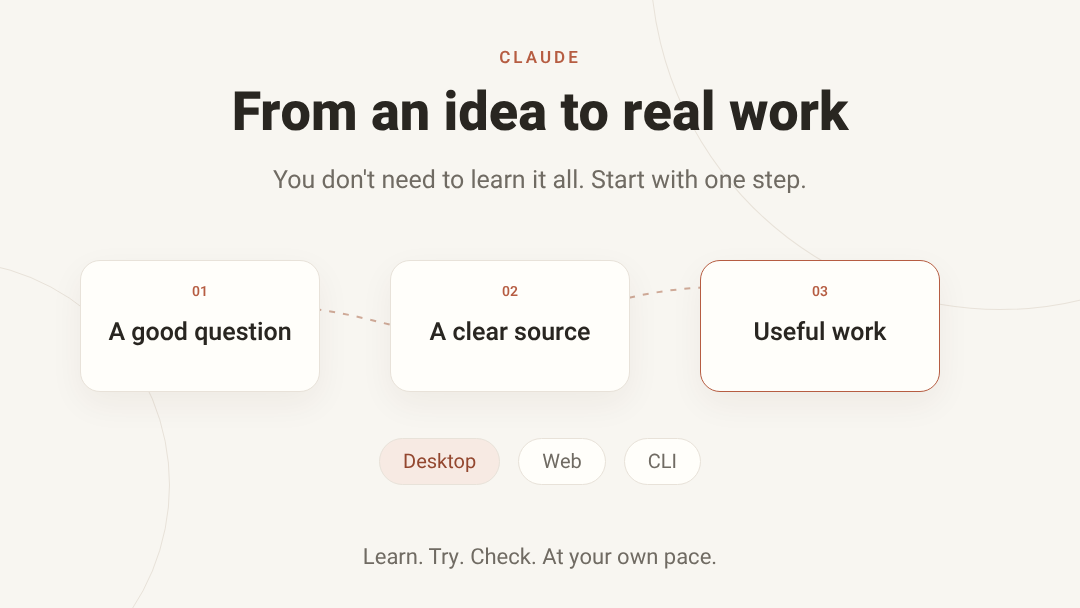
You don't need to learn everything at once. Choose where you work, and start with one chapter.
Part 1 - Claude on Desktop
Working from your computer? Start with the basics, then explore the tools that fit your work.
Start here 0120 chapters to explore at your own paceExplore chapters

Install and find your way around Desktop
Claude Desktop brings chat, task execution and coding into one app, but they are different ways of working. Identify your app version, plan and operating system before looking for a button from someone else's screenshot.
Chapter 02
Your first chat and conversation controls
A useful chat starts with a clear task: the outcome, audience, source material and what must not be invented. You can improve a response by editing the request or continuing the conversation instead of starting over each time.
Chapter 03
Models, effort and extended thinking
Model selection and effort are separate decisions. The model determines the model family and capabilities; effort or extended thinking adjusts how Claude approaches a task where supported. More thinking does not guarantee correctness.
Chapter 04
Files, images and local context
Claude can work with material you provide, but attaching a file does not grant access to every folder on your computer. Distinguish chat uploads, Project knowledge and local files accessed by Cowork or Code with permission.
Chapter 05
Preferences, instructions and writing style
Personal preferences describe how you generally want Claude to respond. Project instructions describe the work in that project. A chat request specifies the current task. Writing style affects presentation, not factual accuracy.
Chapter 06
Projects: knowledge and instructions
A Project groups conversations around ongoing work with project instructions and knowledge. It does not automatically know every document in your organization. Supply relevant material and check what Claude cites from it.
Chapter 07
Memory, chat search and Incognito
Chat search and memory are different. Search retrieves context from past conversations; memory retains useful information for future work. Incognito avoids those ongoing-context features, but it is not an exemption from every data-retention policy.
Chapter 08
Web search and Research
Web search discovers online information; web fetch reads a link; Research is for broader work across sources. Request citations and open them rather than trusting a convincing-looking source list.
Chapter 09
Artifacts: a deliverable beside the chat
An artifact is a separate deliverable beside the chat: a document, code, diagram or interactive experience. It supports iteration and export while keeping the conversation that led to it.
Chapter 10
Artifacts with AI, connected apps and data
Artifacts can do more than display static content. Some use Claude capabilities, connect apps or store data. Understand who authenticates, what is saved and what happens when the result is shared.
Chapter 11
From data to useful files
A text answer, calculation code and an openable file are different outputs. Specify the format, then inspect the file itself.
Chapter 12
Claude Design: from idea to canvas
Design pairs a conversation with an editable canvas. Current documentation supports starting in chat, Artifacts, Claude Code or the standalone experience. Design is in beta and depends on plan and permissions.
Chapter 13
Cowork: define an outcome and manage the task
Cowork handles multistep work with tools and files. Define the outcome, boundaries and success criteria. Chat and Cowork are changing during the current rollout, so your interface may differ from a screenshot.
Chapter 14
Cowork, folders and the cloud
A cloud task can continue after you close your computer, but local file access depends on the Desktop app and connected folders. As of September 30, 2026, documentation describes a Pro/Max change scheduled for October 6, 2026; it is not yet an already-completed change.
Chapter 15
Dispatch, background work and scheduled tasks
Dispatch accepts an outcome and routes work into Cowork or Code tasks. Scheduling runs work at a time or cadence. These are different mechanisms: starting work does not prove it finished.
Chapter 16
The built-in browser
The built-in browser differs from web search: it can open and operate a site. It also differs from Claude in Chrome, which works through your own browser and its permissions.
Chapter 17
Claude in Chrome
The extension works alongside you in Chrome with authorized access to sites and tabs. It can work alone or with Cowork and Claude Code. Site access is not blanket permission for every action on it.
Chapter 18
Connectors, MCP and local extensions
A connector gives Claude access to another service's tools or data through MCP. Directory connectors, custom remote connections and local extensions have different setup, permissions and maintenance.
Chapter 19
Skills and plugins
A skill teaches a reusable workflow; a connector exposes tools or data; a plugin packages capabilities together. The distinction helps you choose instructions, access or an installed bundle.
Chapter 20
Claude Code in Desktop
Code in Desktop works on a workspace with visual diff review. It differs from Cowork and from a cloud Code session. Where the session runs determines which files and tools it can reach.
Part 2 - Claude on the Web
Want to begin without installing anything? Get to know chats, projects and useful outputs at your own pace.
Start here 0120 chapters to explore at your own paceExplore chapters

Start using Claude on the web
The web interface lets you start a chat, work with artifacts and cloud tasks, and continue across devices. It does not automatically gain access to local files.
Chapter 02
Your first chat and conversation controls
A useful chat starts with a clear task: the outcome, audience, source material and what must not be invented. You can improve a response by editing the request or continuing the conversation instead of starting over each time.
Chapter 03
Models, effort and extended thinking
Model selection and effort are separate decisions. The model determines the model family and capabilities; effort or extended thinking adjusts how Claude approaches a task where supported. More thinking does not guarantee correctness.
Chapter 04
Files, images and local context
Claude can work with material you provide, but attaching a file does not grant access to every folder on your computer. Distinguish chat uploads, Project knowledge and local files accessed by Cowork or Code with permission.
Chapter 05
Preferences, instructions and writing style
Personal preferences describe how you generally want Claude to respond. Project instructions describe the work in that project. A chat request specifies the current task. Writing style affects presentation, not factual accuracy.
Chapter 06
Projects: knowledge and instructions
A Project groups conversations around ongoing work with project instructions and knowledge. It does not automatically know every document in your organization. Supply relevant material and check what Claude cites from it.
Chapter 07
Memory, chat search and Incognito
Chat search and memory are different. Search retrieves context from past conversations; memory retains useful information for future work. Incognito avoids those ongoing-context features, but it is not an exemption from every data-retention policy.
Chapter 08
Web search and Research
Web search discovers online information; web fetch reads a link; Research is for broader work across sources. Request citations and open them rather than trusting a convincing-looking source list.
Chapter 09
Artifacts: a deliverable beside the chat
An artifact is a separate deliverable beside the chat: a document, code, diagram or interactive experience. It supports iteration and export while keeping the conversation that led to it.
Chapter 10
Artifacts with AI, connected apps and data
Artifacts can do more than display static content. Some use Claude capabilities, connect apps or store data. Understand who authenticates, what is saved and what happens when the result is shared.
Chapter 11
Claude Design: from idea to canvas
Design pairs a conversation with an editable canvas. Current documentation supports starting in chat, Artifacts, Claude Code or the standalone experience. Design is in beta and depends on plan and permissions.
Chapter 12
From data to useful files
A text answer, calculation code and an openable file are different outputs. Specify the format, then inspect the file itself.
Chapter 13
Connectors, MCP and local extensions
A connector gives Claude access to another service's tools or data through MCP. Directory connectors, custom remote connections and local extensions have different setup, permissions and maintenance.
Chapter 14
Skills and plugins
A skill teaches a reusable workflow; a connector exposes tools or data; a plugin packages capabilities together. The distinction helps you choose instructions, access or an installed bundle.
Chapter 15
Cowork in the cloud and on the web
Cowork handles multistep work with tools and files. Define the outcome, boundaries and success criteria. Chat and Cowork are changing during the current rollout, so your interface may differ from a screenshot.
Chapter 16
Browser and Chrome from a web task
Starting a web task does not automatically connect your own browser. The built-in browser, Claude in Chrome and computer access are different workflows to identify and authorize separately.
Chapter 17
Claude Code on the web: repository, cloud environment, parallel tasks, diff and PR
Claude Code on the web runs coding tasks on Anthropic-managed cloud infrastructure at claude.ai/code, and sessions keep going after you close the browser. You can move work between terminal and cloud with --cloud and --teleport. As of this check it is a research preview for Pro, Max, Team and Enterprise plans with the required seats.
Chapter 18
Voice mode, dictation and continuing on mobile; platform differences
Voice mode allows full spoken conversations with Claude: you speak and hear spoken replies, and you can switch between voice and text in the same chat. As of this check it is in beta for all plans on web, Desktop and mobile, but built to work best from your phone.
Chapter 19
Account settings and privacy: memory, incognito, Reflect and quiet hours
The web interface centralizes memory, privacy and digital-wellbeing settings: what Claude remembers from chats, incognito conversations that are not saved, and the monthly Reflect recap of your usage patterns. Understanding the differences matters before you handle sensitive conversations.
Chapter 20
Beyond the chat window: Claude in Microsoft 365, Claude Tag and Claude Science
Claude also works beyond the chat window: add-ins inside Excel, PowerPoint, Word and Outlook; Claude Tag responding to mentions in Slack; and Claude Science, a dedicated research application. Each surface has its own availability, account requirements and limits.
Part 3 - Claude Code in the CLI
Building with code, or curious about it? Take one small first step, then explore what you need.
Start here 0130 chapters to explore at your own paceExplore chapters

Installing, authenticating and updating Claude Code
Claude Code is a command-line tool that brings Claude into your terminal and project. A correct install, signing in to the intended account and understanding the billing paths (subscription vs API vs cloud provider) are the foundation for everything else.
Chapter 02
First session: project discovery and built-in tools
On a first session inside a project, Claude Code reads the folder structure, identifies languages and tooling, and proposes actions with its built-in tools: reading files, editing, running commands and searching. Understanding what the tool may do is the base for safe work.
Chapter 03
CLAUDE.md, project memory and the .claude directory
CLAUDE.md is the file where you write Claude standing instructions about the project: how to build, test and work. Together with the memory hierarchy and the .claude directory it turns the tool from generic to team-specific.
Chapter 04
Context window, tokens, caching and compact
Every session has a bounded context window. Understanding what fills it, how prompt caching saves, and when to run compact directly affects answer quality and cost.
Chapter 05
Sessions: resume, continue, branch and history management
Claude Code sessions persist and you can return to them: resume a previous session, continue the latest one, and fork/branch at a split point. Managing history well saves work and prevents confusion.
Chapter 06
Interactive mode: shortcuts, multiline, Vim and shell mode
Interactive mode offers a rich editing layer: keyboard shortcuts, multiline input, Vim mode, shell mode and a task queue. Mastering them makes daily work much faster.
Chapter 07
Models, effort levels, fast mode and the advisor
You can choose which model answers, how much thinking effort to invest, and when to prefer speed. The choice affects quality, speed and cost, and the advisor helps on hard decisions.
Chapter 08
Permission modes: default, plan, acceptEdits, auto, dontAsk and bypass
The permission mode decides how much freedom the tool has to edit files and run commands without asking. Choosing between default, plan, acceptEdits, auto and bypass balances speed against safety.
Chapter 09
Sandbox, isolated environments and devcontainers
Running commands inside a sandbox reduces the chance a tool action harms your system. You can choose between built-in sandboxing, isolated environments and devcontainers, based on the isolation level needed.
Chapter 10
Daily workflow: reading code, planning, editing and testing
Daily work with Claude Code runs in a loop: understand the relevant code, plan, make a small change and test. Keeping the loop short and controlled is what makes the tool reliable.
Chapter 11
Git: diffs, checkpoints, commits and pull requests
Claude Code works hand in hand with git: reviewing diffs, creating clean commits and opening pull requests. The checkpointing mechanism lets you roll back even without a commit, and it is the safety net of the work.
Chapter 12
Review: code review, security review and scans
Claude Code can review code at several levels: a regular change review, deep code review, a security scan and tools like ultrareview for bug hunting. A structured review before merging prevents incidents.
Chapter 13
Skills and custom commands
Skills are packages of knowledge and procedures that teach Claude how to perform recurring work in your domain. Custom commands add your own shortcuts to the session. Both turn team knowledge into an asset that runs on demand.
Chapter 14
Plugins and marketplaces: discovery and install
Plugins extend Claude Code with ready-made capabilities: commands, agents, hooks and more. They come from marketplaces, and before installing you should understand what they do and who stands behind them.
Chapter 15
Creating plugins: manifest, components and publishing
Creating your own plugin lets you package capabilities the team needs repeatedly: commands, agents, skills and hooks. The manifest defines the package, and evals verify it works before publishing.
Chapter 16
MCP: connecting servers, auth and scopes
MCP is the protocol connecting Claude Code to external tools and data: databases, cloud services and internal systems. A correct connection includes authentication, scope definition and control over what is exposed.
Chapter 17
Hooks: automation on the session lifecycle
Hooks are commands that run automatically on defined events in the session lifecycle: before a tool, after a tool, on messages and more. They enforce quality and policy without relying on memory.
Chapter 18
Subagents: built-in and custom agents
Subagents are helper agents the main session can delegate work to: some built-in and some custom. Proper delegation saves main context and parallelizes work.
Chapter 19
Parallelism: worktrees, background tasks and agent view
Parallel work advances several tasks at once: worktrees give separate working copies of the repo, background tasks run in the background, and agent view centralizes managing multiple agents.
Chapter 20
Agent teams and cross-session messaging
When a big task splits across sessions, agent teams enable orchestration: sessions coordinating work, and a messaging mechanism letting one session send a message to another.
Chapter 21
Dynamic workflows, batch and ultracode
Dynamic workflows orchestrate subagents at scale: the session spawns and manages agents as needed instead of following a rigid plan. This approach fits large tasks whose structure emerges along the way.
Chapter 22
/goal, /loop, schedules and routines: sustained operation
Four mechanisms let Claude Code work over time: goal steering toward an outcome, loop repeating, schedules firing prompts by time, and routines for standing automation. Distinguishing sustained operation from one-shot tasks matters.
Chapter 23
Channels: Telegram, Discord, iMessage and trust boundaries
Channels push external events into a running session: a Telegram, Discord or iMessage message can reach the session and influence it. Powerful, but it demands clear trust boundaries.
Chapter 24
Chrome, browser automation and computer use from the CLI
Claude Code can operate against a browser: controlling Chrome for testing and automation, and computer use for acting on the machine itself. These are powerful capabilities requiring deliberate permissions.
Chapter 25
Design, artifacts and moving work between canvas and code
Artifacts let you share session output as a standalone product: a page, document or demo. The flow between design work and project code turns quick experiments into real deliverables.
Chapter 26
Remote Control, mobile, Desktop handoff and cloud sessions
You can continue a session from anywhere: Remote Control for local sessions from another device, moving between mobile and Desktop, and cloud sessions that run without your machine. The flexibility requires knowing where each session lives.
Chapter 27
Integrations: VS Code, JetBrains, Slack and CI/CD
Claude Code integrates with existing work environments: editors like VS Code and JetBrains, communication through Slack, and CI automation in GitHub Actions and GitLab. Each integration needs its own install and permissions.
Chapter 28
Headless: non-interactive runs, pipes and JSON
Headless mode runs Claude Code without an interactive interface: a prompt goes in, a result comes out. With pipes, JSON output and streaming it becomes a building block in scripts and automation pipelines.
Chapter 29
Agent SDK and API: building on Claude Code
The Agent SDK lets you build applications using Claude Code capabilities as a library: tools, sessions, hooks and permissions. It is a developer appendix, different from the regular Claude subscription for daily use.
Chapter 30
Costs, privacy, troubleshooting and full index
The final chapter closes the CLI part: cost management and usage tracking, privacy and security principles, common troubleshooting, and a full index of commands, settings, environment variables and tools for self-lookup.